The terminal built around
your workflow.
Project-aware. AI-ready. Delightfully fast.
A macOS terminal that brings commands, files, scripts, local servers, Git changes, and AI CLIs into one focused workspace.
AndSpace v0.1.0-beta.4 is now available for macOS.
- Native macOS
- Local CLIs
- Offline-first
- Command Guard
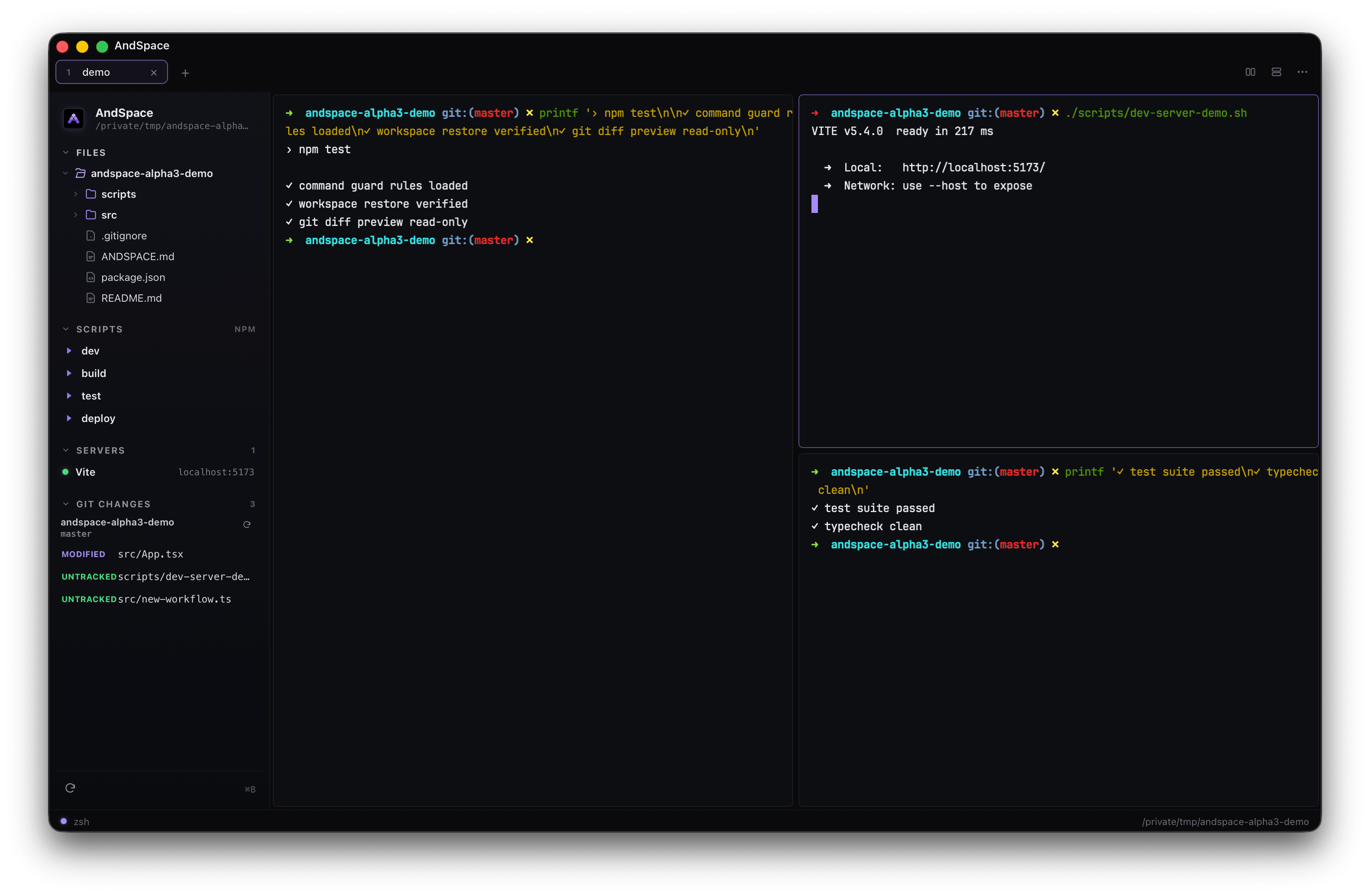
Watch AndSpace in motion.
A short beta walkthrough: restored workspace, local server detection, Local Preview, command palette, Command Guard, AI handoff, and read-only Git diff preview.
A terminal that understands the project,
not just the prompt.
Six things AndSpace does that your default terminal doesn't — each built to keep you in flow and out of trouble.
AI handoff with ⌘E
Send the live command, its output, and your project context to a local Claude, Codex, or Cursor CLI — secrets stripped first.
Command Guard
Risky commands — rm -rf, force pushes, prod migrations — pause for one clear confirmation before they ever touch your machine.
Recursively deletes two folders and can't be undone.
Project sidebar
nvim-style file tree, scripts, and live servers for the folder you're in — one keystroke away, never in your way.
Command palette
Tabs, splits, scripts, sidebar focus — every action in one ⌘K palette that knows your project.
Live server detection
AndSpace reads localhost URLs straight from your output — no port scanning, no polling. Open or copy instantly.
WebGL-fast
A GPU-accelerated renderer with idle-aware repaints. Near-zero CPU while you read, full speed when output floods in.
Catch the dangerous commands
before they run.
AndSpace recognizes destructive patterns — recursive deletes, force pushes, dropping a database, piping curl into a shell — and pauses for one clear confirmation. It explains what the command does in plain language, so a tired late-night paste never becomes a disaster.
- Plain-English explanation of what's about to happen
- Always the highest-priority prompt — nothing dismisses it for you
- Tuned for real footguns, quiet on everything safe
rm -rf ./dist ./node_modulesThis recursively deletes two directories and can't be undone. Run it anyway?
One key sends the whole
situation to your AI.
Press ⌘E and AndSpace packages the command you ran, its exit code, the recent output, any selected text, and your ANDSPACE.md context into a clean prompt — then hands it to your local Claude, Codex, or Cursor CLI in a split pane.
It runs entirely on your machine. You can preview the exact prompt before it's sent, every time.
- Local CLIs only — nothing calls a provider API for you
- API keys and bearer tokens redacted before anything leaves
- The prompt never lands in your shell history
Your project, one
keystroke away.
Toggle the sidebar with ⌘B to see the folder you're actually working in — its files, every script in package.json, currently running dev servers, and your project's read-only Git changes.
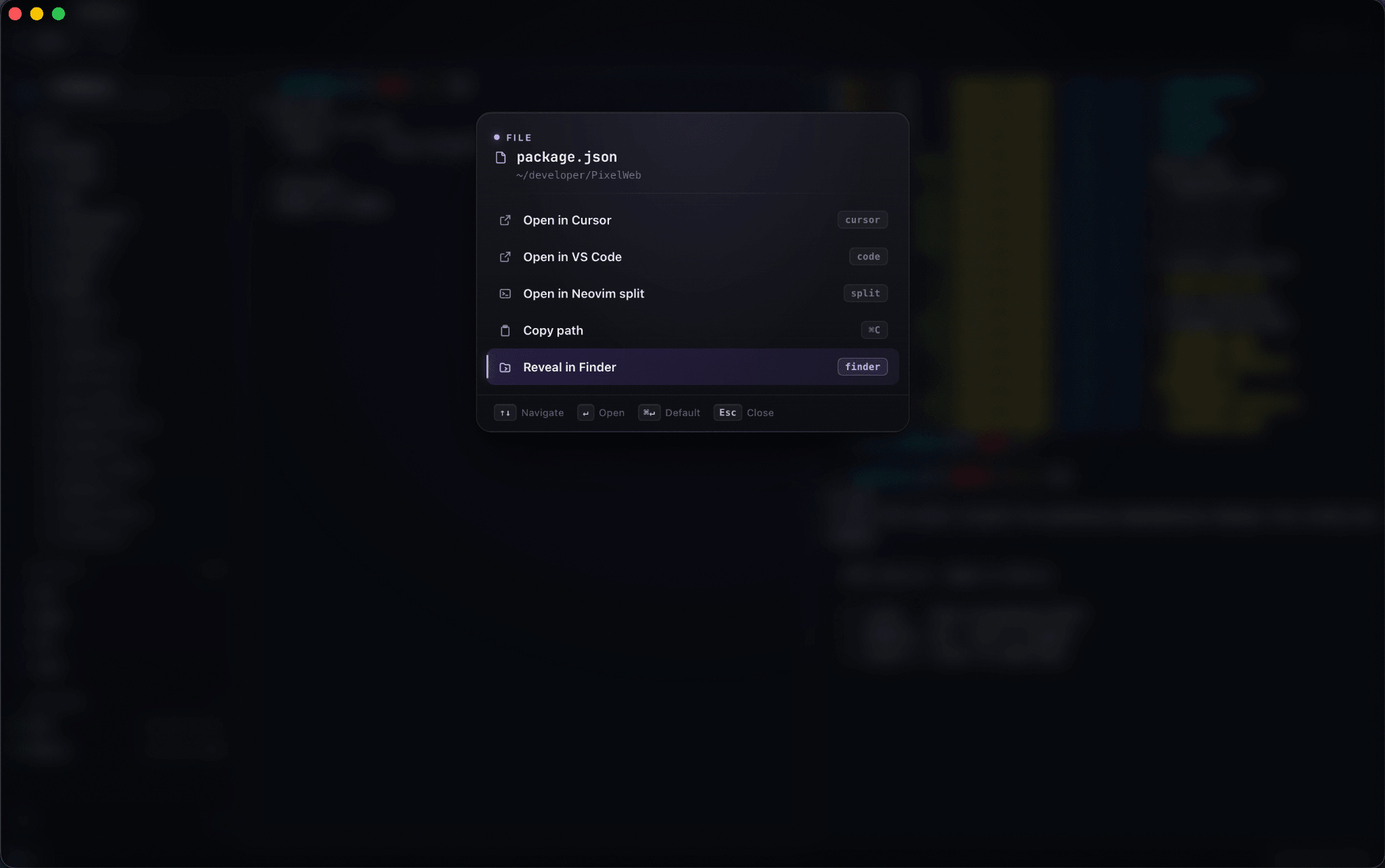
Press a file for instant actions: open it in your editor of choice, view PNG/JPEG/GIF inline in the terminal, copy its path, or inspect read-only diffs — without leaving home row.
- nvim-style file tree with colored glyphs for the folder you're in
- Open any file in Cursor, VS Code, Neovim — or view images in the terminal
- Scripts, live servers, and read-only Git changes in one sidebar
Every action, one
fuzzy search away.
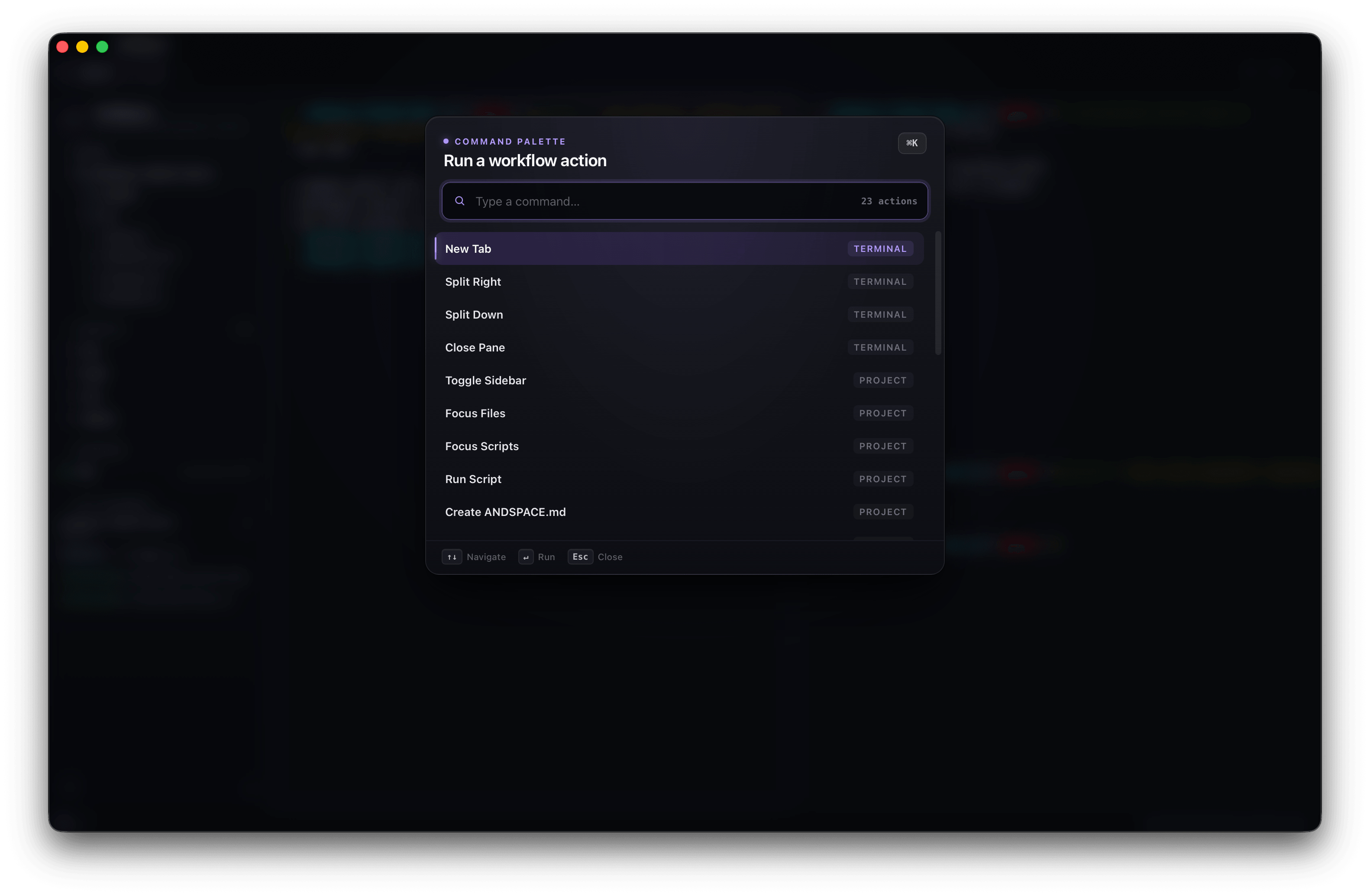
Hit ⌘K and run any workflow action without reaching for the mouse. The palette knows the shape of your project — terminal actions and project actions live side by side, each tagged by scope.
It's the fastest path to a new split, a running script, or a fresh ANDSPACE.md context file.
- New tab, split right/down, focus navigation, close pane — all keyboard-first
- Focus files or scripts, run package scripts, restore layout on startup
- Actions are scoped by context so the right one is always on top
Built for hands that never
leave the keyboard.
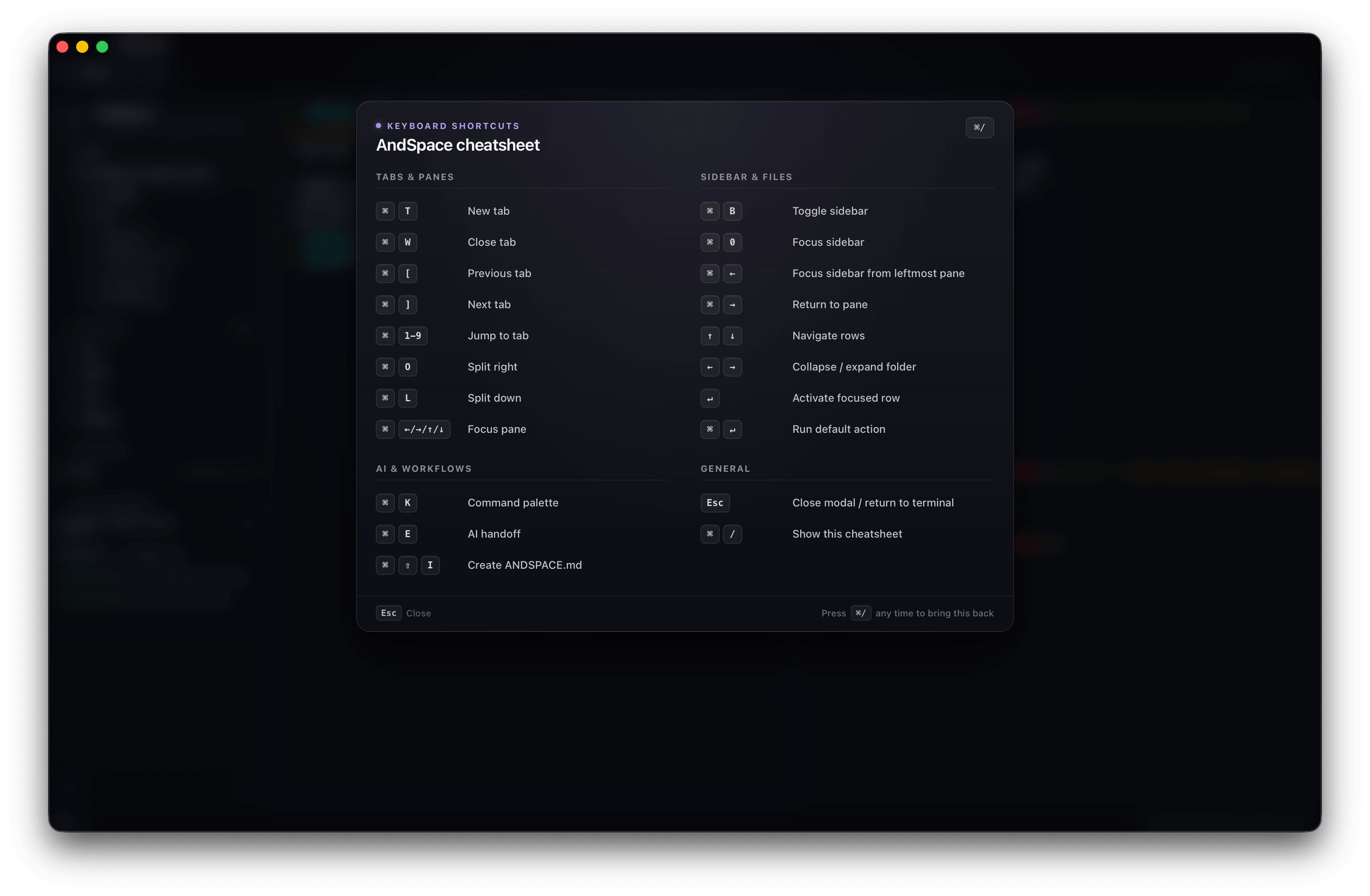
Every action has a binding, and a Neovim-style cheatsheet (⌘ /) is always a keystroke away when you forget one.
Give your terminal a sense of place.
AndSpace is a free beta for Apple Silicon. Native, offline-first, and quietly fast. No account required.
AndSpace v0.1.0-beta.4 is now available for macOS.
Release specifications & limitations
shasum -a 256 <file>.